 d27a203a56
Merge with small fixes of PR https://github.com/s0md3v/sd-webui-roop/pull/72
Thanks @justinh24 for the idea and implementation
nsfw-roop for StableDiffusion
NSFW (uncensored) version (use it on your own responsibility) of original sd-webui-roop
This is an extension for StableDiffusion's AUTOMATIC1111 web-ui that allows face-replacement in images. It is based on roop but will be developed seperately.
Disclaimer
This software is meant to be a productive contribution to the rapidly growing AI-generated media industry. It will help artists with tasks such as animating a custom character or using the character as a model for clothing etc.
The developers of this software are aware of its possible unethical applicaitons and are committed to take preventative measures against them. It has a built-in check which prevents the program from working on inappropriate media including but not limited to nudity, graphic content, sensitive material such as war footage etc. We will continue to develop this project in the positive direction while adhering to law and ethics. This project may be shut down or include watermarks on the output if requested by law.
Users of this software are expected to use this software responsibly while abiding the local law. If face of a real person is being used, users are suggested to get consent from the concerned person and clearly mention that it is a deepfake when posting content online. Developers of this software will not be responsible for actions of end-users.
Installation
To install the extension, follow these steps:
- Install Visual Studio 2022 (Community version, for example - you need this step to build some of dependencies): https://visualstudio.microsoft.com/downloads/ OR only VS C++ Build Tools (if you don't need the whole Visual Studio): https://visualstudio.microsoft.com/visual-cpp-build-tools/
- In web-ui, go to the "Extensions" tab and use this URL
https://github.com/Gourieff/sd-webui-roop-nsfwin the "install from URL" tab. - Restart the UI
Usage
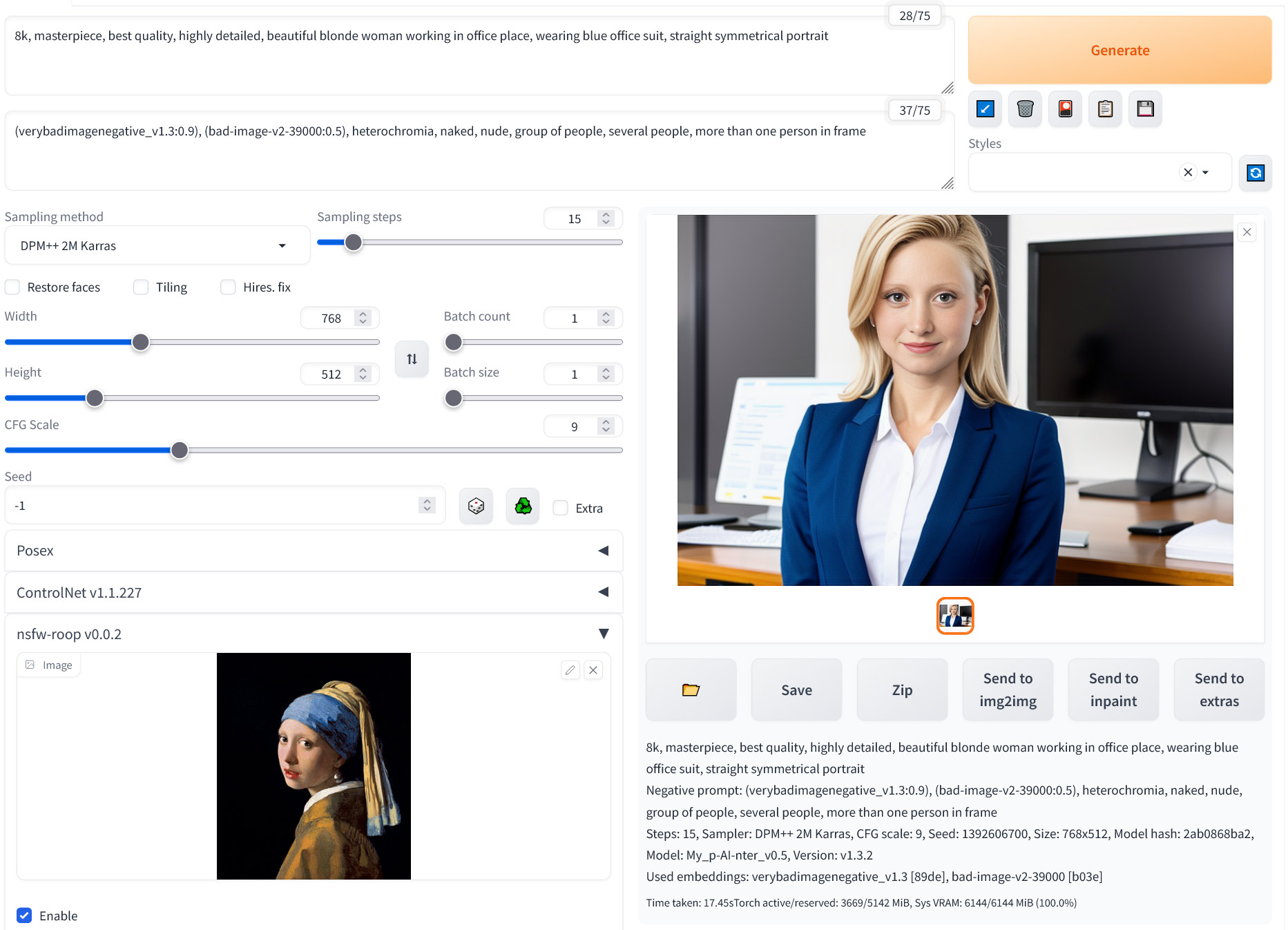
- Under "nsfw-roop" drop-down menu, import an image containing a face.
- Turn on the "Enable" checkbox
- That's it, now the generated result will have the face you selected
The result face is blurry
Use the "Restore Face" option. You can also try the "Upscaler" option or for more finer control, use an upscaler from the "Extras" tab.
There are multiple faces in result
Select the face numbers you wish to swap using the "Comma separated face number(s)" option.
The result is totally black
This means roop detected that your image is NSFW.
Img2Img
You can choose to activate the swap on the source image or on the generated image, or on both using the checkboxes. Activating on source image allows you to start from a given base and apply the diffusion process to it.
Inpainting should work but only the masked part will be swapped.